Pixel Bead PRO Features: Complete Online Perler Bead Pattern Maker Guide
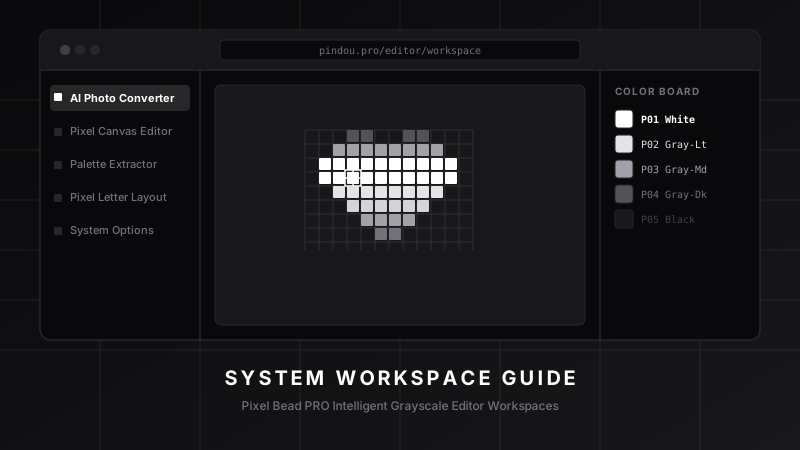
Pixel Bead PRO Features: Complete Online Perler Bead Pattern Maker Guide
For craft lovers and pixel artists, finding a professional, accurate, and easy-to-use perler bead generator has always been a challenge. Traditional flat-matching and manual color counting take up hours. Now, with Pixel Bead PRO, everything changes.
As an all-in-one web-based workstation, Pixel Bead PRO features neural network background removal, smart color quantization, and Figma-like layer-based drawing canvas. This article walks you through our five core workspaces to help you start designing like a pro.
1. AI Photo to Pattern Converter Workspace
This is our most popular tool. Whether you want to turn a pet photo, a family portrait, or an illustration into bead art, the converter does it instantly:
- Local AI Background Cutout: Our neural network removes messy backgrounds directly inside your browser for 100% privacy.
- Brand Palettes Color Matching: The converter maps colors automatically onto real palettes from Hama, Perler, or Artkal.
- Lossless Grid Dithering: Recreate gradients using minimal color quantities while preserving crisp edges.
2. Screenshot Color Recognition Workspace
Spotted a beautiful finished pegboard bead design on Pinterest or Instagram but don't know the exact color codes? This workspace does the reverse-engineering for you:
- Grid Center Sampling: Upload the screenshot and align the grid overlay.
- Automatic Color Recovery: The algorithm analyzes color values and identifies exact brand codes and count lists using nearest-neighbor math.
3. Pro Multi-layer Drawing Canvas Workspace
For those who want to design patterns from scratch, the canvas offers a robust sandbox:
- Custom Dimensions: Create pegboard canvases matching any size.
- Independent Layers: Add separate layers for line art, base colors, and shading.
- Rulers & Auto-saves: The coordinate system keeps you from getting lost, while IndexedDB autosaves your work locally.
4. Creative Typography Workspace
Design custom text, names, numbers, or calligraphy with ease:
- Realtime Generator: Type letters and see your bead layouts instantly.
- Pixel Calligraphy Fonts: Dozens of retro 8-bit, brush calligraphy, and block fonts are available.
- Double Gradients & 3D Shadows: Personalize gradient vectors, outline borders, and deep 3D drops.
5. Exporter & Count Checklist Sheet Workspace
When your design is complete, click export to generate:
- Printable 1:1 Coded Grid Chart: Print it and place it directly under a transparent pegboard template.
- Excel Sourcing Checklist: Get an exact inventory count detailing how many beads to purchase for each color code, saving you cash.
Start designing on Pixel Bead PRO now! No installation required—just open your browser and convert your ideas into tangible physical pixel art.